
In the realm of modern technology, the ability to send data through a socket is a fundamental concept that underpins a vast array of applications, from simple network communication to complex distributed systems. As a socket supplier, I have witnessed firsthand the importance of understanding how to send data through a socket effectively. In this blog post, I will delve into the intricacies of socket programming, exploring the steps involved in sending data through a socket and providing practical insights based on my experience in the industry.
Understanding Sockets
Before we dive into the process of sending data through a socket, it's essential to understand what a socket is. In the context of network programming, a socket is an endpoint for communication between two processes running on a network. Sockets provide a way for applications to send and receive data over a network, allowing them to communicate with each other regardless of their physical location.
There are two main types of sockets: TCP (Transmission Control Protocol) sockets and UDP (User Datagram Protocol) sockets. TCP sockets provide a reliable, connection-oriented communication channel, ensuring that data is delivered in the correct order and without errors. UDP sockets, on the other hand, provide a connectionless, unreliable communication channel, where data is sent in individual packets without any guarantee of delivery or order.
Establishing a Socket Connection
The first step in sending data through a socket is to establish a connection between the client and the server. In the case of a TCP socket, this involves a three-way handshake process. The client sends a SYN (synchronize) packet to the server, indicating its intention to establish a connection. The server responds with a SYN-ACK (synchronize-acknowledge) packet, acknowledging the client's request and indicating its willingness to establish a connection. Finally, the client sends an ACK (acknowledge) packet to confirm the connection.


Here is a simple example of how to establish a TCP socket connection in Python:
import socket

# Create a TCP/IP socket
sock = socket.socket(socket.AF_INET, socket.SOCK_STREAM)

# Connect the socket to the server's address and port
server_address = ('localhost', 12345)
sock.connect(server_address)
In this example, we create a TCP socket using the socket.socket() function and connect it to the server's address and port using the connect() method.
Sending Data through a Socket
Once the socket connection is established, we can send data through the socket. In the case of a TCP socket, we can use the send() method to send data to the server. The send() method takes a byte string as an argument and returns the number of bytes sent.
Here is an example of how to send data through a TCP socket in Python:
# Send data to the server
message = b'Hello, server!'
sock.send(message)
In this example, we create a byte string containing the message we want to send and use the send() method to send it to the server.
Receiving Data from a Socket
After sending data through a socket, we may need to receive a response from the server. In the case of a TCP socket, we can use the recv() method to receive data from the server. The recv() method takes an integer argument specifying the maximum number of bytes to receive and returns a byte string containing the received data.
Here is an example of how to receive data from a TCP socket in Python:
# Receive data from the server
data = sock.recv(1024)
print('Received:', data.decode())
In this example, we use the recv() method to receive up to 1024 bytes of data from the server and print the received data after decoding it from a byte string to a string.
Error Handling and Closing the Socket
When working with sockets, it's important to handle errors properly to ensure the reliability of the communication. For example, if the socket connection is interrupted or the server closes the connection, we need to handle these situations gracefully.
Here is an example of how to handle errors and close the socket in Python:
try:
    # Establish a socket connection, send data, and receive data
    #...
except socket.error as e:
    print('Socket error:', e)
finally:
    # Close the socket
    sock.close()
In this example, we use a try-except block to catch any socket errors that may occur during the communication process. Finally, we use the close() method to close the socket, releasing any system resources associated with it.
Different Types of Sockets We Offer
As a socket supplier, we offer a wide range of sockets to meet the diverse needs of our customers. Here are some of the popular socket products we offer:
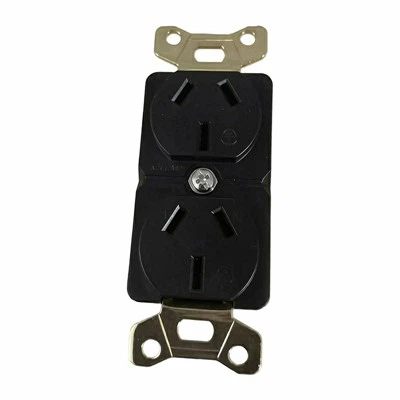
- Twin Floor Socket: Our twin floor socket is a versatile and practical solution for providing power and data connections on the floor. It is designed to be installed in commercial and residential buildings, offering a convenient way to access electricity and network connectivity.
- Smart Socket: Our smart socket is a cutting-edge device that allows you to control your electrical appliances remotely using your smartphone or other smart devices. It offers features such as energy monitoring, scheduling, and voice control, making it a convenient and energy-efficient solution for modern homes and offices.
- Fast Charging Wall Outlet: Our fast charging wall outlet is designed to provide high-speed charging for your mobile devices. It supports multiple charging standards and can charge your devices up to four times faster than a standard wall outlet, saving you time and keeping your devices powered up.
Conclusion
Sending data through a socket is a crucial aspect of network programming, enabling applications to communicate with each other over a network. By understanding the basic concepts of socket programming, establishing a socket connection, sending and receiving data, and handling errors, you can develop robust and reliable network applications.
As a socket supplier, we are committed to providing high-quality socket products and solutions to meet the needs of our customers. Whether you are looking for a twin floor socket, a smart socket, or a fast charging wall outlet, we have the right product for you. If you are interested in purchasing our socket products or have any questions, please feel free to contact us for a procurement discussion. We look forward to working with you to meet your socket needs.
References
- Stevens, W. R. (1998). Unix Network Programming, Volume 1: The Sockets Networking API. Addison-Wesley.
- Tanenbaum, A. S., & Wetherall, D. J. (2011). Computer Networks. Prentice Hall.